Validator
Check metadata, URLs, screenshots, builds, and in-app purchase readiness before submission. Jump to a linked field to fix an issue.
Native Mac client · For everyone who works in App Store Connect
Update metadata across locales, find missing release details, and plan regional prices. All in one native Mac app, with changes you can review before saving.
Free to download · macOS 15 or later
See analytics in actionDynamic Mode · Included in Free
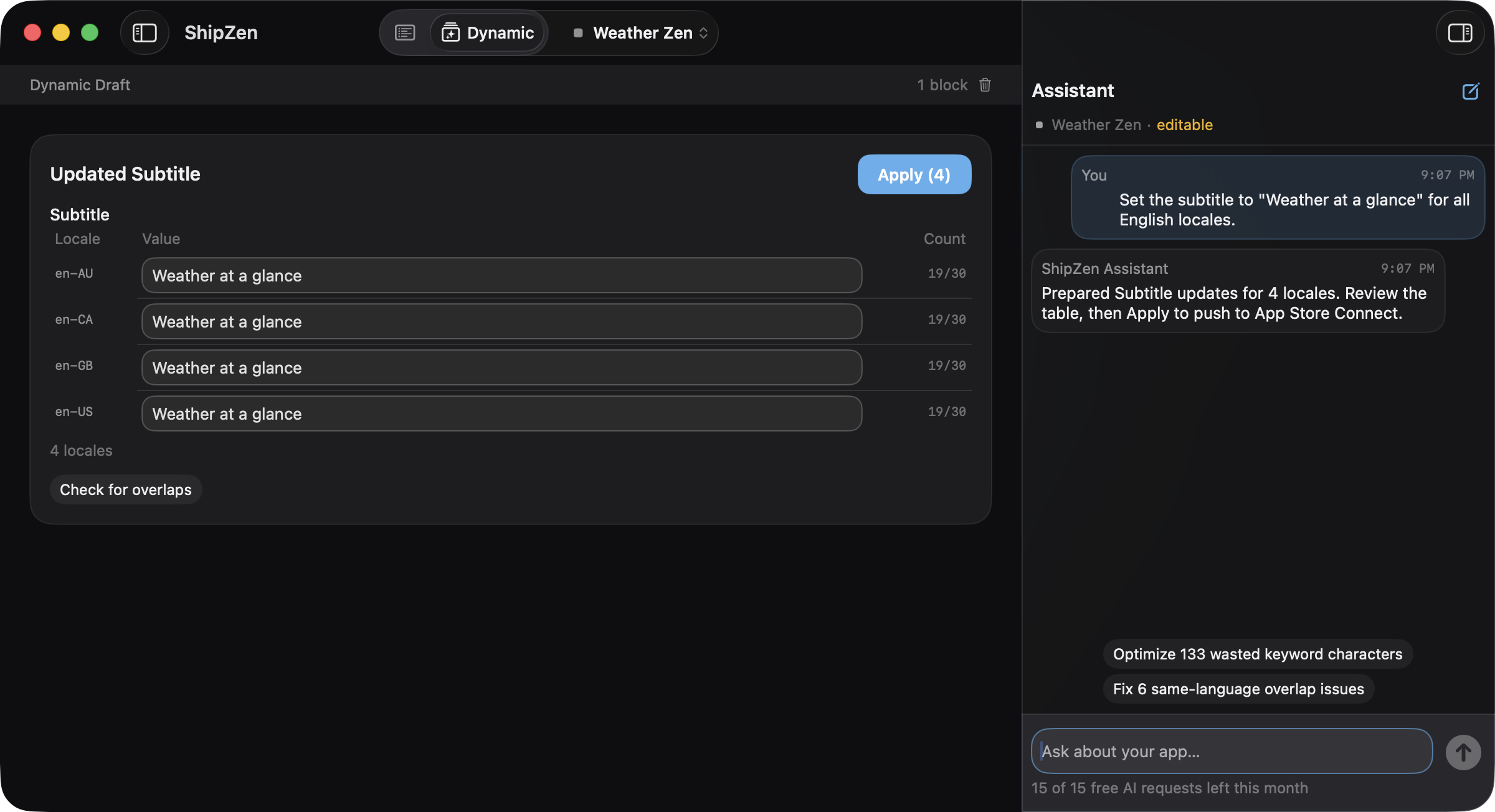
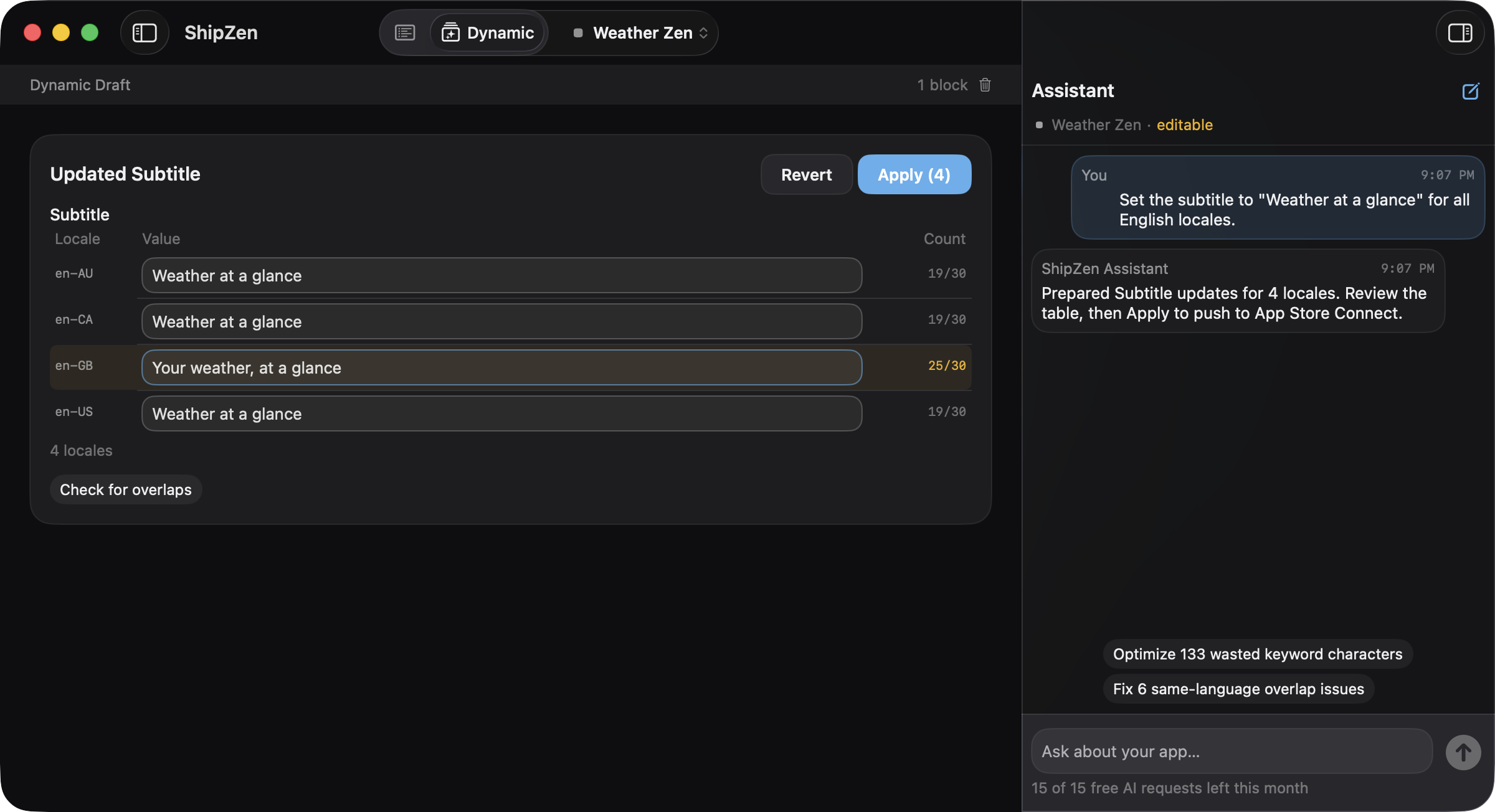
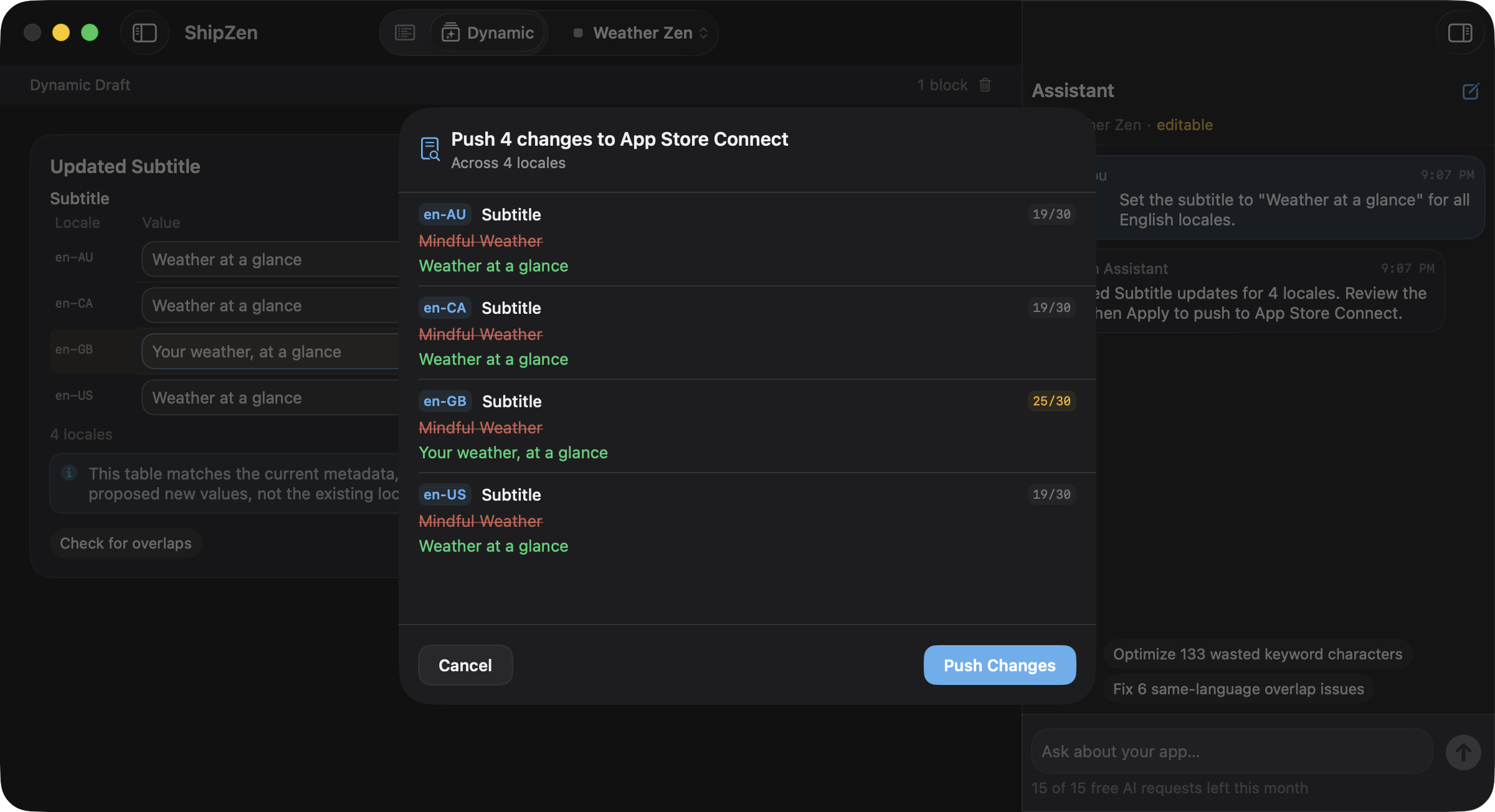
Dynamic Mode turns your request into editable fields.
Set the subtitle to "Weather at a glance" for all English locales.
Also in Dynamic Mode
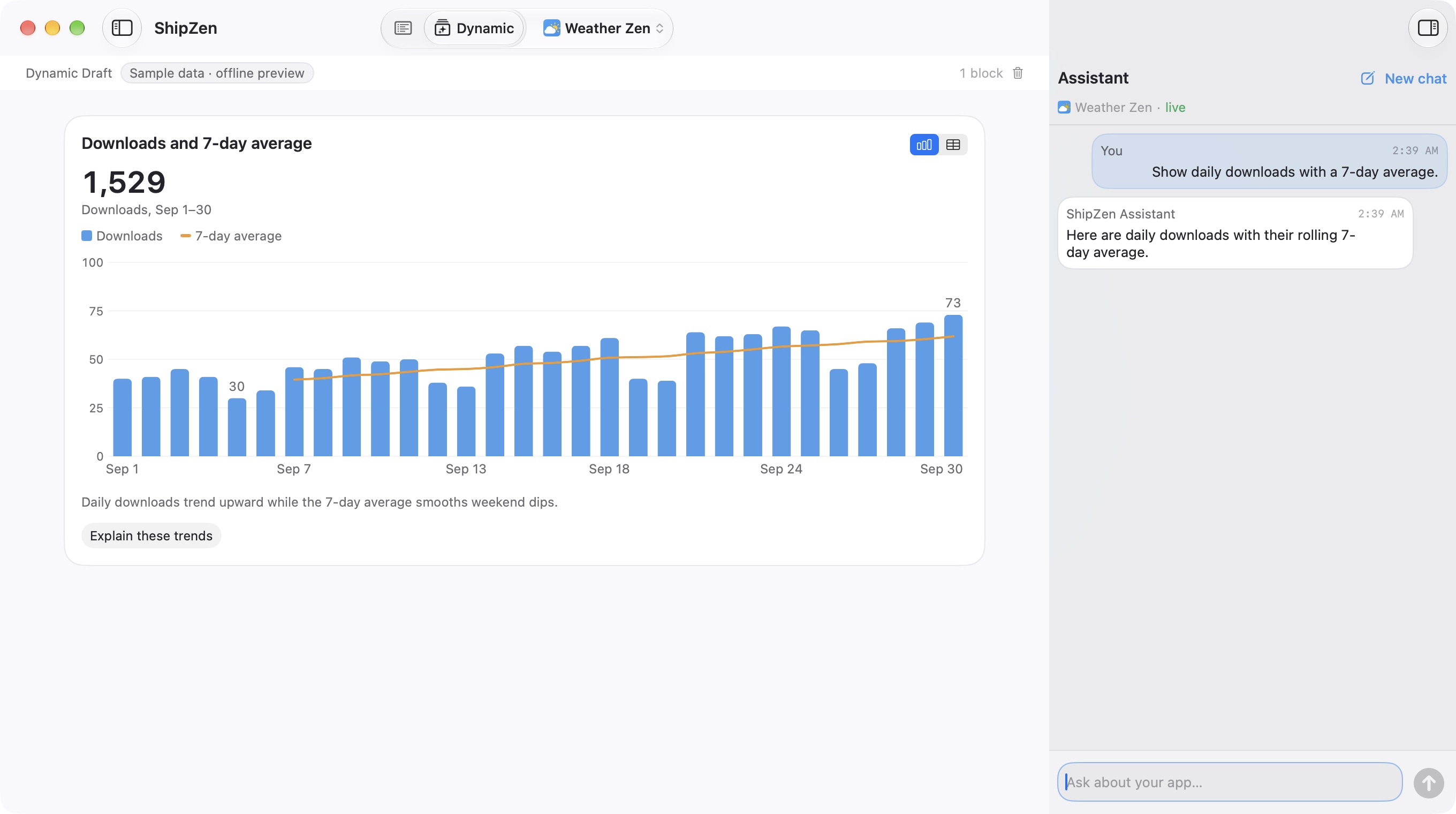
Ask about downloads, sessions, or proceeds. Refine the view with a follow-up.
Separate day-to-day swings from the longer-term download trend.
Show daily downloads with a 7-day average.
Direct Mode · Free
Edit listings, manage TestFlight, and reply to reviews with familiar navigation. Review metadata changes before saving.
One account. Unlimited apps. Manual work is free.
Optional AI
A familiar editor, with AI help beside your listing.
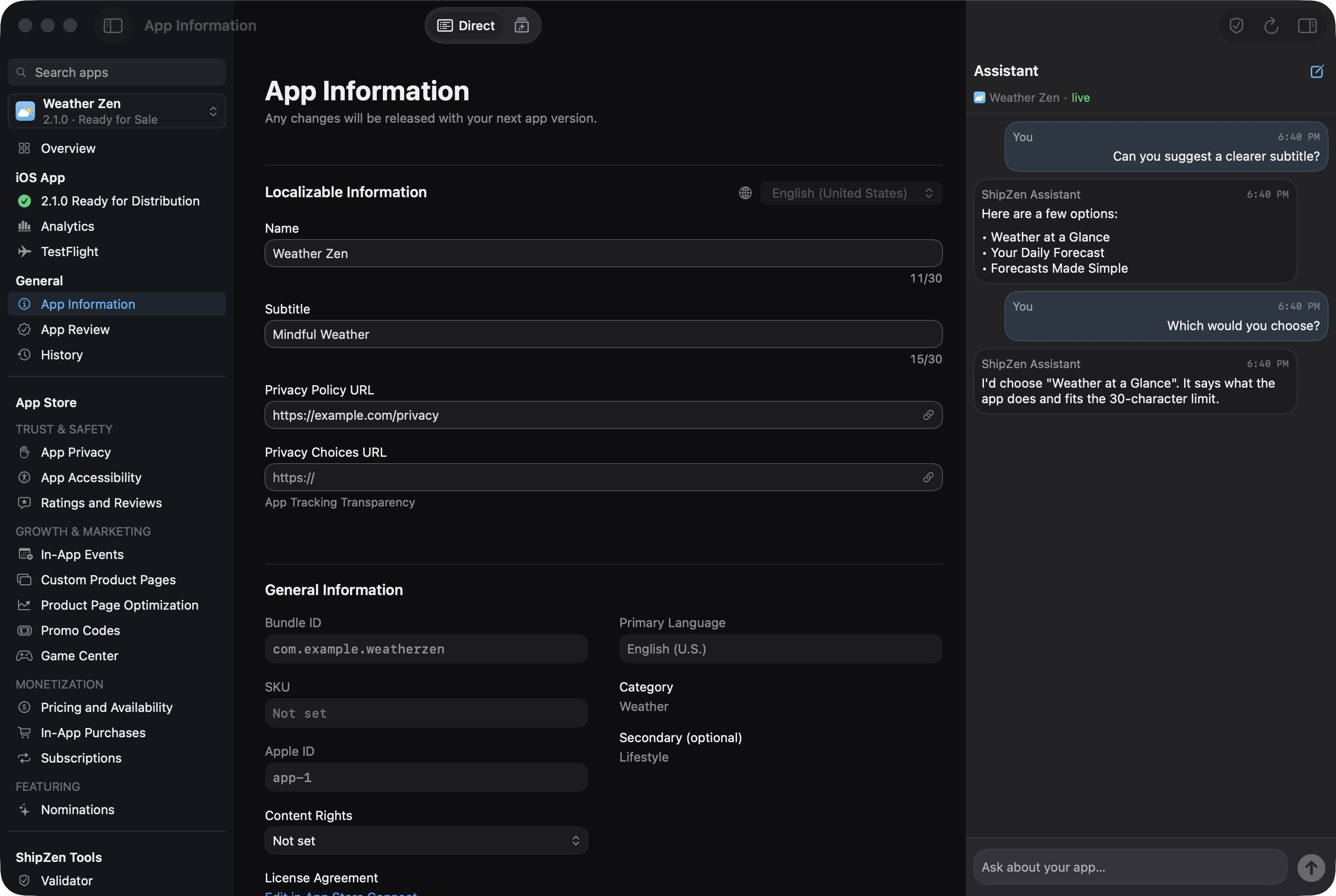
Check metadata, URLs, screenshots, builds, and in-app purchase readiness before submission. Jump to a linked field to fix an issue.
Find untranslated or missing fields, character-limit violations, duplicate keywords, and words already in your title or subtitle.
Upload, reorder, and check screenshot dimensions for each version and locale.
Invite testers, assign builds to groups, and submit for external beta review. Keep build and beta-review status in view.
Translate reviews, find themes, and draft replies with optional AI. Explore analytics, plus sales and financial reports with report access and a Vendor Number.
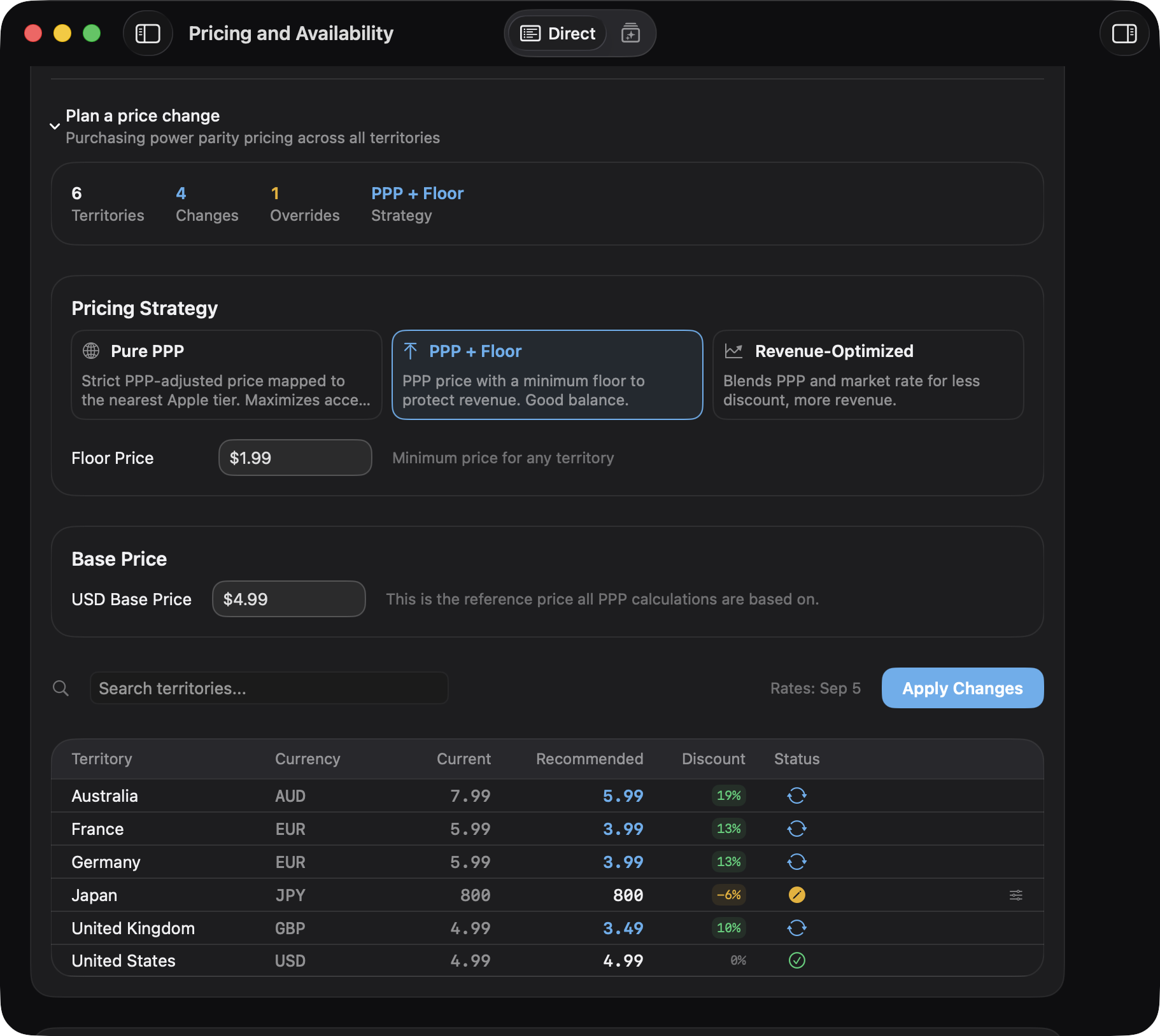
Adjust territory prices manually in Free. Preview recommendations based on local purchasing power; applying a generated strategy requires Pro.
Some tasks still open in App Store Connect on the web.
Add your App Store Connect API key. ShipZen connects directly to Apple.
API key setup guideOpen your listing, review its locales, and run the Validator before your next release.
Make your changes and inspect the metadata diff before confirming the save.
Connect your account with clear boundaries around credentials and saves.
App Store Connect credentials and AI tokens are stored in macOS Keychain.
ShipZen connects directly to Apple and your selected AI provider. Data shared with each service is covered in our Privacy Policy.
Inspect metadata diffs before saving. AI and external MCP writes require your confirmation in the app.
Purchase validation uses RevenueCat, crash reports use Sentry, and opt-in analytics use PostHog. Full connection details are in the Privacy Policy.
Compare recommendations based on local purchasing power, adjust individual territories, and review the proposed changes.
In this example, four territory prices change. Japan stays at ¥800.
Preview in Free. Apply generated strategies with Pro.
Dynamic Mode and pricing previews are included in Free. Pro lets you apply generated pricing strategies, automate batch work, and connect more accounts.
Everything you need for manual release work.
No subscription required
Start with Free after download.
More automation for a growing app portfolio.
$29.99 billed annually
Standard price will be $39/year
7-day free trial on the annual plan, available in the app after download.
Available on the Mac App Store. Prices shown in USD. Pro is an optional in-app purchase. The 7-day free trial applies only to the annual plan; eligibility and local App Store pricing apply.
ShipZen is available on the Mac App Store. It is free to download with an optional Pro subscription, and requires macOS 15 or later.
Download on the Mac App StoreShipZen covers metadata, review notes, release settings, screenshots, TestFlight, reviews, reports, pricing, age ratings, and export-compliance details supported by Apple’s API. Privacy Nutrition Labels and account setup still happen on Apple’s website. ShipZen does not automate privacy declarations.
What a desktop client can replaceNo. Manual App Store Connect work is available in Free, including the editor, validator and manual pricing. Dynamic Mode is also in Free. AI features need your chosen provider and share 15 successful requests per calendar month. Pro adds batch automation, generated pricing strategy application, multiple accounts, external MCP writes and no ShipZen AI cap. Provider limits still apply.
You can sign in with your ChatGPT Plus or Pro account instead, with no separate AI API key. Or use your own OpenAI or Anthropic API key, billed by that provider. Free includes 15 successful AI requests per calendar month, shared across AI features. Provider limits still apply.
Metadata saves show the proposed changes for confirmation. AI and external MCP writes require confirmation in the app. ShipZen’s validator identifies issues to investigate; a clean check is not a guarantee of App Review approval.
Security and capability boundariesAn App Store Connect API key with access to the apps and operations you need. Keys are stored in macOS Keychain. ShipZen cannot grant more access than your Apple account and key allow.
Create an App Store Connect API keyShipZen can flag a missing or expired Paid Apps Agreement when Apple reports it. When that readiness panel appears, its checklist links to Apple’s D-U-N-S, banking, tax, and bundle-ID steps. ShipZen does not verify those steps or complete Apple’s forms.
Developer account setup, step by stepDownloading the free app does not start a Pro subscription or trial. You can choose Pro inside ShipZen. The annual plan offers a 7-day free trial for eligible subscribers; the monthly plan does not. Founding prices are $29.99/year or $4.99/month in USD. Standard prices will be $39/year or $6.99/month.

Keep your locales, release checks, and proposed changes in view.
Download on the Mac App StoreAvailable on the Mac App Store. Free to download · macOS 15 or later
Practical guides, useful with or without ShipZen.